
Download dbForge Data Compare for PostgreSQL – Database Management, Data Synchronization, PostgreSQL Tool
Overview
dbForge Data Compare for PostgreSQL is a specialized mobile application designed to assist database developers and administrators in identifying and resolving data discrepancies between PostgreSQL tables. The app streamlines the process of comparing datasets across different database instances, enabling users to detect mismatches, missing records, and altered values with precision. This tool is particularly valuable in environments where data consistency is critical, such as development, testing, and production workflows.
By generating synchronization scripts automatically, the application reduces the time and complexity involved in aligning data across systems. This capability is essential for teams managing multiple PostgreSQL environments, where manual data reconciliation can be error-prone and time-consuming. The target users include database professionals, software engineers, DevOps specialists, and IT teams responsible for maintaining data integrity.
While the developer did not provide additional technical details about their background or company history, the tool’s focus on PostgreSQL-specific functionality suggests a targeted approach to database management. Real-world use cases include verifying data consistency after migration, preparing test environments, and ensuring synchronization between staging and production databases. In the broader app ecosystem, dbForge Data Compare fills a niche for mobile-accessible database tools, offering a portable solution for on-the-go data verification and alignment.
Key Features & Functionality
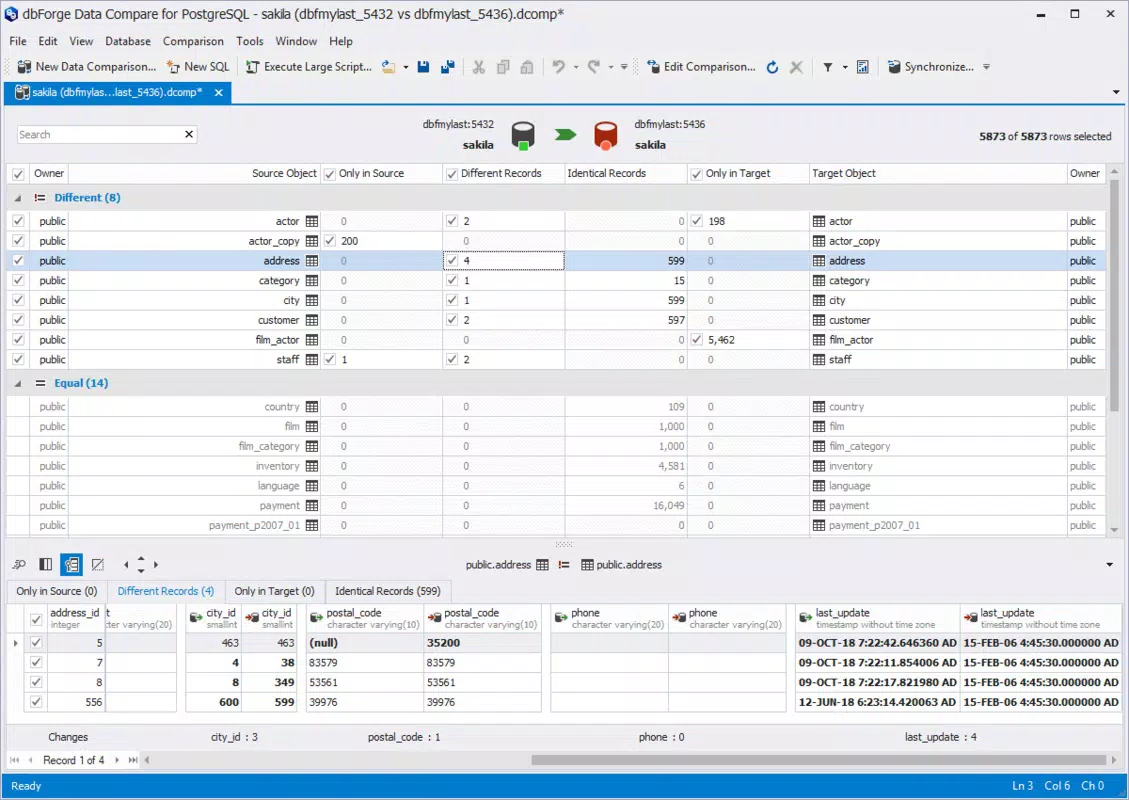
- Data Comparison: The app enables users to compare data in PostgreSQL tables with a high degree of accuracy. Differences in values, records, and structures are clearly highlighted, allowing for quick identification of inconsistencies. This feature is especially useful during database migrations or when validating data after updates.
- Synchronization Script Generation: After identifying discrepancies, the tool automatically generates executable SQL scripts tailored to the detected differences. These scripts can be used to synchronize the source and target tables, reducing the need for manual coding and minimizing the risk of errors.
- Easy Execution of Scripts: Users can run the generated synchronization scripts directly within the app without switching to external database clients. This integrated execution capability enhances workflow efficiency and ensures that changes are applied consistently.
- Intuitive User Interface: The layout is designed for ease of navigation, with clear visual cues and logical workflows. Even users with limited experience in database management can quickly learn to use the tool effectively, thanks to its clean and user-friendly design.
- Support for Large Databases: The application is optimized to handle extensive datasets efficiently. It performs comparisons and script generation with minimal performance degradation, making it suitable for enterprise-level database environments.
For example, a database administrator preparing a test environment can use the app to compare production data with the test database and generate a script to update discrepancies. Similarly, a development team can verify data consistency before deploying changes to a live system.
Interface, UX & Performance
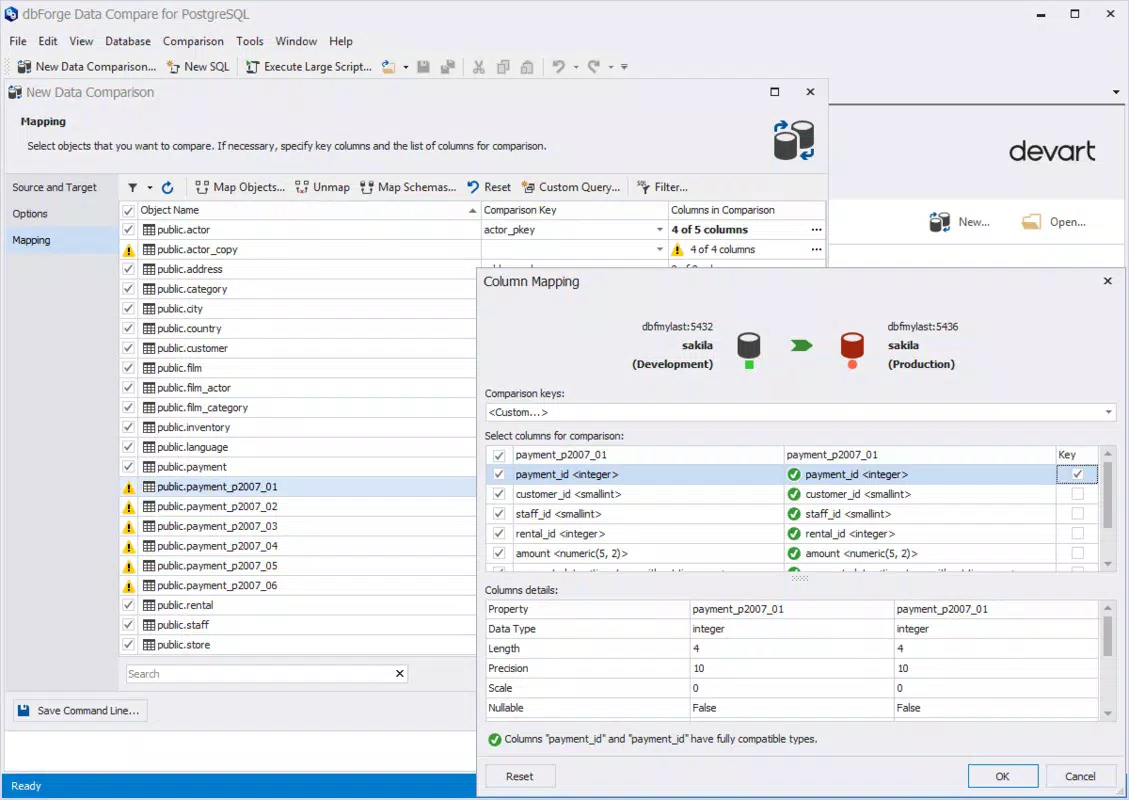
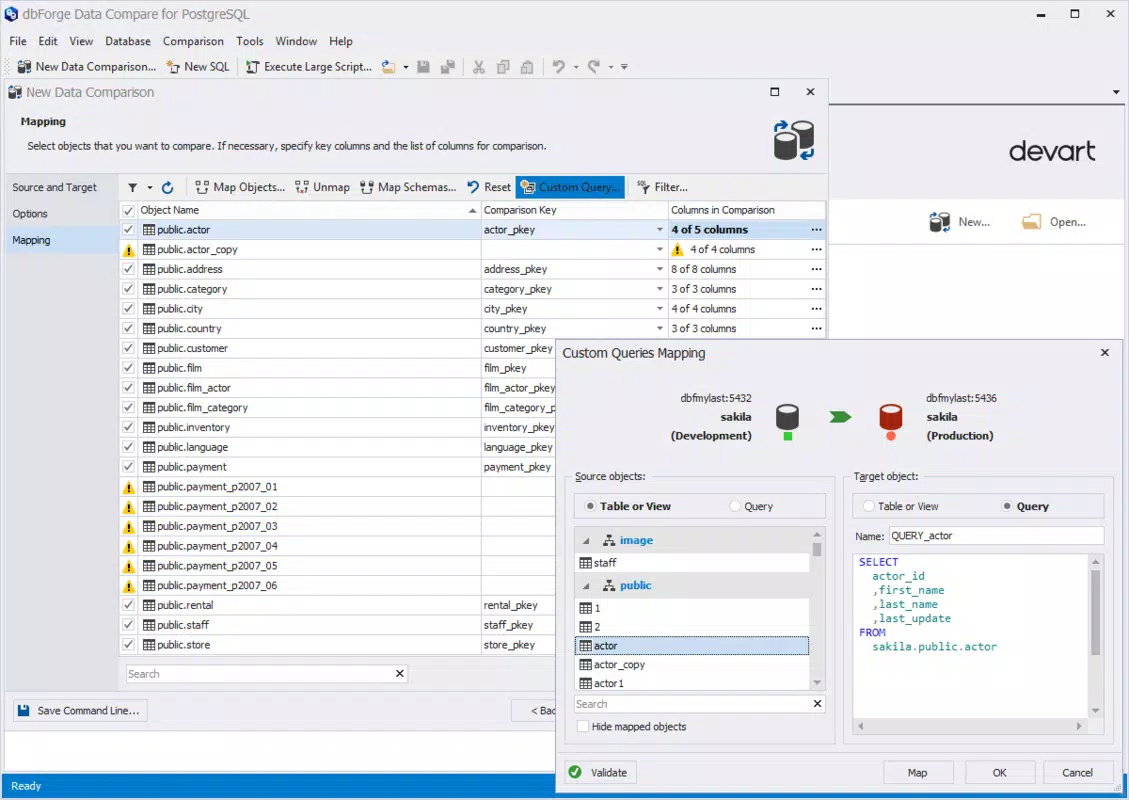
The interface of dbForge Data Compare for PostgreSQL is structured to prioritize clarity and functionality. The layout features a split-view design that displays both the source and target table data side by side, with visual indicators highlighting differences. Navigation is straightforward, with context-sensitive menus and clearly labeled buttons for initiating comparisons and executing scripts.
Users can expect a responsive experience across various device categories, although the developer did not list formal performance metrics. The app appears optimized for smooth interaction, with minimal lag during data loading and comparison processes. Stability is maintained even when handling large datasets, suggesting efficient memory and processing management.
Although the developer did not specify minimum OS requirements or compatibility details, the application is designed to function reliably on modern mobile devices. The visual style is professional and minimalistic, focusing on usability rather than decorative elements. Overall, the UX is consistent with industry standards for database tools, offering a seamless experience for technical users.
Platform Compatibility & Technical Requirements
dbForge Data Compare for PostgreSQL is available on Android and iOS platforms. The current software version is not specified, nor is the exact file size. The release date was announced as 2025-07-30, indicating a recent update or launch.
The developer did not specify minimum OS requirements or device compatibility details. As such, users are advised to ensure their device meets general system standards for running database tools. Compatibility information was not fully disclosed, so installation may depend on the device’s hardware and software configuration.
Pros and Cons
Pros
- Efficient comparison of PostgreSQL table data with clear visual feedback.
- Automated generation of synchronization scripts reduces manual effort.
- Direct script execution within the app enhances workflow efficiency.
- Designed with an intuitive interface suitable for both beginners and experts.
- Optimized performance for handling large databases.
Cons
- Specific technical requirements and file size were not disclosed.
- Compatibility with older devices or OS versions was not confirmed.
- No information provided about cloud integration or backup features.
- Limited details on update frequency or support channels.
- Platform availability details were not fully specified.
FAQ
Is dbForge Data Compare for PostgreSQL secure to use?
The app is designed for database professionals and handles sensitive data. While the developer did not provide specific security details, users should ensure they follow best practices for data handling and network security when using the tool.
Can I use this app on both Android and iOS?
Yes, the application is available on both Android and iOS platforms. However, specific compatibility details for each OS were not fully disclosed.
How often are updates released for the app?
The developer did not specify the update frequency. Users should check the app store for the latest version and release notes.
Does the app require a database connection to function?
Yes, the app requires a live connection to PostgreSQL databases to perform comparisons and execute synchronization scripts.
Is there a free version available?
Information about pricing and free versions was not provided. The app may be available through a trial or subscription model.
Final Thoughts
dbForge Data Compare for PostgreSQL stands out as a focused, efficient tool for database professionals seeking to maintain data consistency across PostgreSQL environments. Its ability to compare datasets, generate synchronization scripts, and execute them directly within the app offers a streamlined workflow that saves time and reduces the risk of human error. The intuitive interface ensures accessibility for users of varying skill levels, while performance optimizations make it suitable for large-scale operations.
While some technical details remain undisclosed, the app’s core functionality is robust and well-suited for developers, administrators, and DevOps teams managing complex database workflows. Its mobile accessibility adds flexibility, allowing users to verify and align data from virtually anywhere.
For those working with PostgreSQL databases, this tool represents a valuable addition to their toolkit. Download dbForge Data Compare for PostgreSQL now to enhance your data management efficiency and ensure seamless synchronization across environments.


